
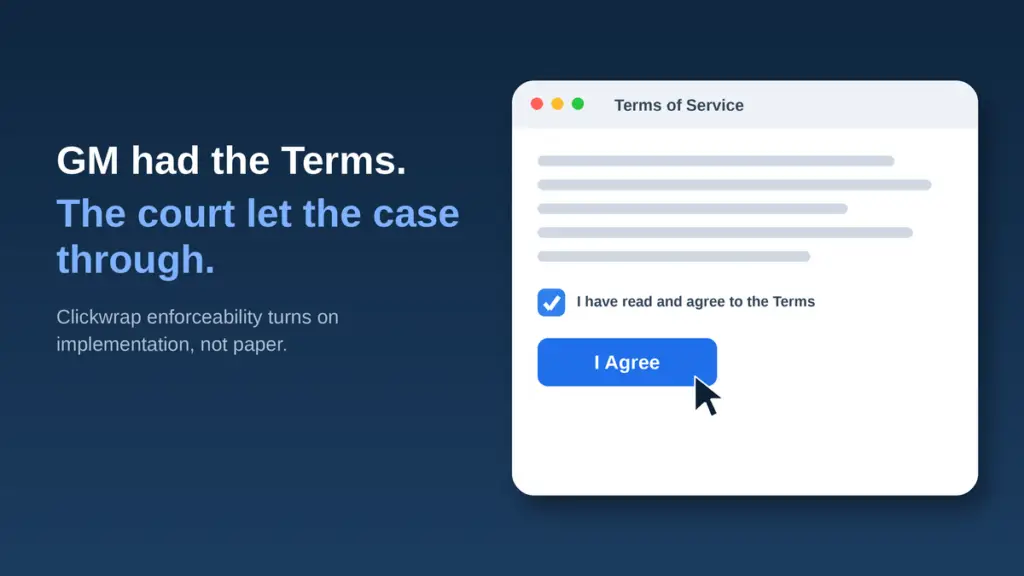
A clickwrap agreement is only as enforceable as the way you implemented it. Courts don’t enforce the terms you wrote. They enforce the click your user actually made, on the screen you actually showed, in the moment they actually made it. The document is the easy part. The implementation is where deals get won or lost.
I’m a software and SaaS attorney, and I work with a lot of vendors (literally 100s and 100s) who spend real money getting their terms drafted and then bolt those terms onto a sign-up flow nobody reviewed. Then a dispute comes, the other side says “I never agreed to that,” and the whole case turns on a screenshot of a checkbox. So here’s how enforceability actually works, and the four questions I ask about every consent flow.
The doctrine in one line: assent, not paper.
Online contracts are enforceable when the user had reasonable notice of the terms and took some affirmative action that shows they agreed. That’s it. The label matters because it tracks how well you did those two things:
- Clickwrap. The user must click “I agree” (or check a box) next to a conspicuous link to the terms before they can proceed. Courts enforce these routinely, because the click is an unambiguous act of assent.
- Browsewrap. The terms sit behind a link in the footer, and you claim the user agreed just by using the site. Courts regularly refuse to enforce these against consumers, because nobody affirmatively agreed to anything.
That “clickwrap vs browsewrap” distinction is the oldest lesson in the area, and it’s been settled for 20 years. In Specht v. Netscape the Second Circuit refused to enforce terms a user never had to see. In Meyer v. Uber the same court enforced terms because the screen put the agreement right in front of the user with a clear “by clicking, you agree” prompt. And in Nguyen v. Barnes & Noble the Ninth Circuit tossed a browsewrap because a footer link, without more, isn’t notice. So when someone asks me “are terms and conditions legally binding,” the honest answer is: yes, if (and only if) your implementation gave the user notice and captured their assent. (A clickwrap “I agree” is also not the same thing as an e-signature on a contract; it’s a different mechanism, but the same lesson about doing it right applies.)
Four questions that actually decide enforceability.
Forget the contract language for a minute. When I pressure-test a clickwrap, this is the checklist:
- Did the user actually click? Affirmative assent is the whole game. A pre-checked box, a “continue” button that doesn’t mention the terms, or “by using this product you accept” buried on a splash screen is not a click. If the user could get all the way through without ever doing something that says “I agree,” you don’t have clickwrap. You have a browsewrap wearing a costume.
- Did the right person click? This is the one people miss. If a reseller, a channel partner, a dealer, or a vendor’s own rep is clicking through your terms on the customer’s behalf, you have to ask whether that person had authority to bind the customer, and whether the customer ever saw anything. A click by the wrong hand can be worth nothing.
- Was the notice conspicuous and the process designed right? Tiny scrolling boxes, greyed-out “decline” buttons sitting next to bright “accept” buttons, terms you have to resize the window to read, “reject” paths that warn the product will break: those are the design choices that turn your own sign-up screen into the other side’s best exhibit. Presentation is a legal feature, not a cosmetic one.
- Can you prove it later? Enforceability you can’t document is enforceability you don’t have. You need a timestamped record of which version of the terms each user saw and what they clicked. When assent becomes a fact question (and it will), the party with the logs wins.
What the court actually said, and why it matters to you.
You don’t have to take my word for any of this. The best teacher here is the GM / OnStar driving-data case. In In re Consumer Vehicle Driving Data Tracking Collection, MDL No. 3115, a federal judge in Georgia ruled on motions to dismiss (order filed April 22, 2026) and let a wide swath of privacy claims move forward even though GM had terms and a privacy statement. Here are the nuggets straight from the opinion, and the lesson in each:
- Consent was a fact question, so the case survived. The court refused to dismiss because, in its words, “without a clearer picture of the factual scenario surrounding the consent given by each Plaintiff in this action, it would be improper to dismiss.” Lesson: a flow that looks signed off doesn’t end the dispute if how you actually obtained the click is in doubt. Defective consent buys you discovery, not a dismissal.
- The wrong people were clicking. Dealers were incentivized to, in the court’s words, “click through screens and agreements without obtaining customer consent.” Lesson: if a reseller, partner, or rep clicks on the customer’s behalf, you may have captured nothing. Put the assent in front of the actual user.
- The terms were buried in the interface. The court noted users saw a small box showing only “the first paragraph of the User Terms and the first paragraph of the Privacy Statement,” and had to resize the window to read the rest. Lesson: notice you have to hunt for isn’t notice. If the user can’t see the terms without effort, a court won’t assume they agreed to them.
- The decline path was misleading. People who tried to decline were warned it would “result in the deactivation of all OnStar services,” services they had never signed up for. Lesson: a “reject” path designed to scare the user into “accept” is a dark pattern, and it reads as the opposite of free consent.
- Opt-in was a click, opt-out was a phone call. Once enrolled, the only way out was to call GM. Lesson: when leaving is harder than joining, the asymmetry itself becomes evidence that the consent wasn’t real.
Real terms, defective implementation, case survives. That’s the whole lesson, and it isn’t limited to car companies. Every one of those moves has a direct SaaS analog: trial-to-paid auto-conversions, partner and reseller onboarding, cramped in-product consent banners, and “are you sure?” decline screens. The court looked straight past a real set of terms and asked what the screens actually did. Your product team, not just your lawyers, has to be able to answer that.
Designing a clickwrap that holds up.
You don’t need a 202-page opinion to get this right. You need to treat the sign-up flow as a legal artifact and check it before you ship:
- Require a real click. A distinct “I agree” action, next to a visible link to the current terms, that the user cannot skip. No pre-checked boxes.
- Show the terms. Conspicuous link, readable without tricks, clear “by clicking you agree” language right at the button.
- Make accept and decline symmetric. Same prominence, same number of clicks, same channel. If opt-in is a button, opt-out is a button, not a support ticket or a phone call. That symmetry is the same standard behind the click-to-cancel rules for subscriptions.
- Control the click. If partners or resellers onboard customers, put the assent capture in your product, not in their hands, and don’t reward them for clicking past it.
- Keep the receipts. Log the terms version, the timestamp, and the assent event for every user.
None of this requires a bigger contract. It requires treating the sign-up flow as the legal artifact it actually is. Get the implementation right and the paper you already paid for finally does its job. The terms you wrote matter, but the screen the user saw and the click they actually made matters a lot more than you think.
I hope this helps. Reviewing exactly this kind of thing, your SaaS agreement, your terms, and the sign-up flow that’s supposed to make them stick, is a big part of what I do as a SaaS and software attorney. If you want a second set of eyes before your next release, reach out.
Clickwrap Enforceability: Common Questions.
Are clickwrap agreements legally binding? Yes, when they are implemented right. A clickwrap binds the user if they had reasonable notice of the terms and took an affirmative action, like clicking “I agree,” that shows assent. Courts enforce well-built clickwraps routinely.
What is the difference between clickwrap and browsewrap? Clickwrap requires an affirmative click to accept terms shown next to a conspicuous link. Browsewrap hides the terms behind a footer link and claims agreement from mere use. Courts enforce clickwrap and regularly refuse to enforce browsewrap against consumers.
Are online terms and conditions enforceable? They are enforceable only if your sign-up flow gave the user notice and captured assent. The terms you wrote matter far less than the screen the user actually saw and the click they actually made.
How do you prove a user agreed to a clickwrap? Keep a timestamped record of which version of the terms each user saw and what they clicked. When assent becomes a fact question, the party with the logs wins.
Resources:
- Click-to-Cancel Rules and Your SaaS Subscription Agreement
- FTC’s Negative Option Rule: Online Offers & Renewals
- Privacy and Data Protection for Software Vendors
- I Have Seen the Future, and It Is “Privacy by Design”
Disclaimer:
This post is for informational and educational purposes only, and is not legal advice. You should hire an attorney if you need legal advice, which should be provided only after review of all relevant facts and applicable law.
Discover more from Aber Law Firm
Subscribe to get the latest posts sent to your email.